“I’ve already asked twice.”
A call to one person. A message to another. Another follow-up just to find out whether the work is finished.
One view of what’s done and what’s still waiting.
“Is it done?” shouldn’t be another job on your list. Give your team a clear checklist and a deadline. They send back photos. You see what’s finished and what needs a follow-up, wherever you are.
No card needed · Free for 7 days · Your team needs no loginA call to one person. A message to another. Another follow-up just to find out whether the work is finished.
One view of what’s done and what’s still waiting.
Photos get buried in chats, and you’re left piecing together who did what, where, and when.
Photos and checklists kept with the right job.
A missed task holds up the next person. By the time you find out, there’s barely time to put it right.
An alert when unfinished work passes its deadline.
Opening a shop, cleaning an office, maintaining equipment, or getting a room ready— make the expectations clear and review what comes back.
Opening checks, stocked shelves, closing routines.
Cleaning rounds, meeting-room setup, routine upkeep.
Maintenance visits, room preparation, equipment checks.
Some work happens every day. Some comes up once. Give each job the structure it needs, then spend your attention on the result.
Get the opening routine right once. Save it as a template so the next job starts with the same clear expectations.
Daily cleaning? Checks every Monday and Friday? Choose the days and deadline. DoneCheck creates the jobs when they are due.
A repair visit or a special setup does not need a permanent routine. Create a one-time job with its own checklist and deadline.
Add a place where work happens, list the tasks, and set a deadline. Share its link or QR code with the person doing the work.
They open the link or scan the code, tick off the tasks, and take photos with their phone. No login or app to install.
Check the photos from wherever you are. Get an alert when work is still unfinished after its deadline.
Explore the small routines that make handing over work easier.
Open one view to see what’s finished, what’s coming up, and what needs a follow-up. Each job keeps its deadline and progress together.
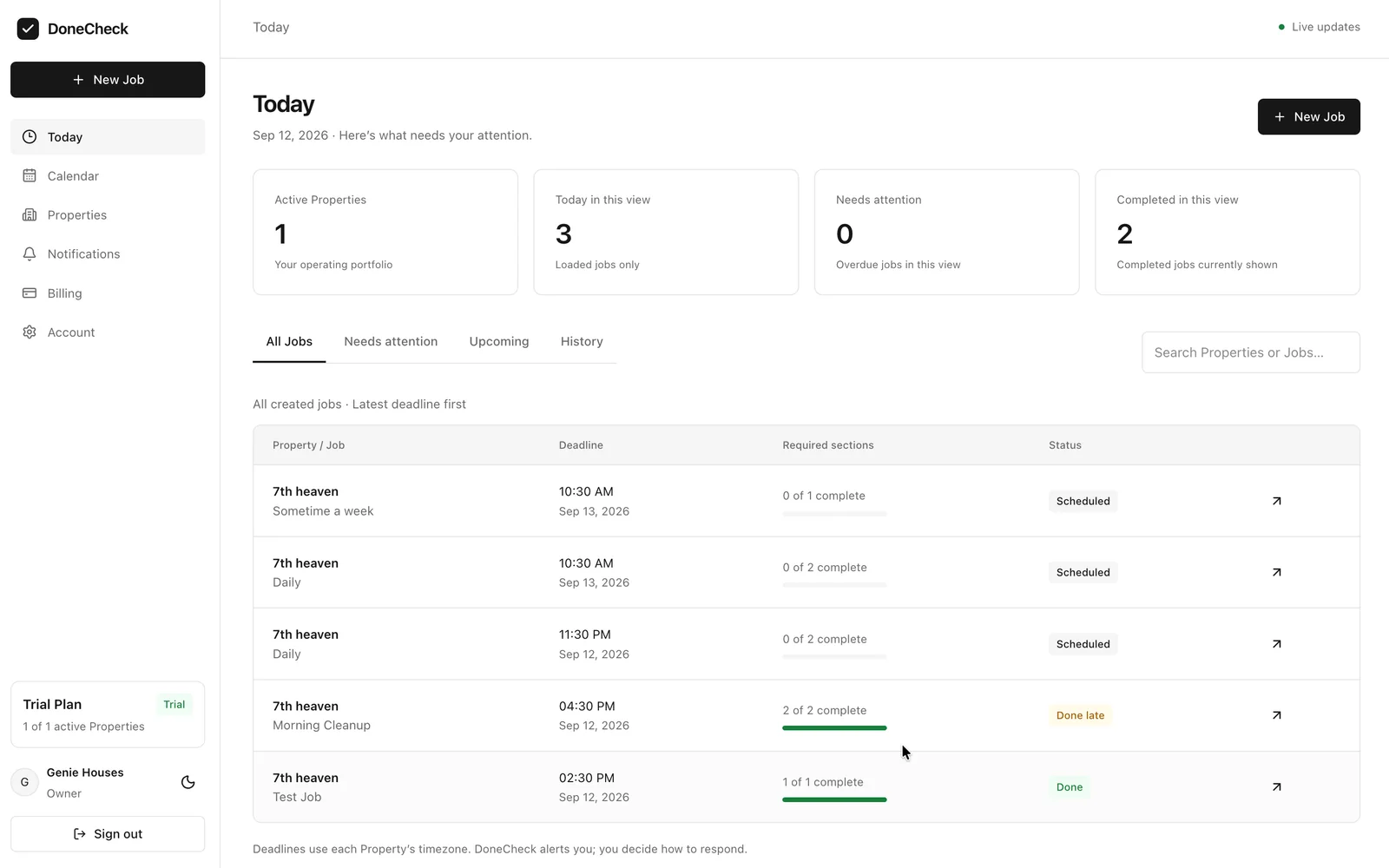
No more scrolling through chats to find the photo you need. Keep the checklist, photos, name entered by your team member, and time received together for each job.
All core features on every plan. No extra charge for each team member, job, or photo within the usage limits.
A work location could be a shop, office, site, or rental. Each place you add is called a “Property” in the app and counts towards your plan.
Check current payment availability in Billing. Your free trial requires no payment details.
Yearly: Growth ₹4,990.00 / $150.00; Pro ₹14,990.00 / $390.00. 31+ work locations? Contact us for a custom plan. Available currencies and final taxes are confirmed before payment.
Up to 3 jobs per location per day. Each job includes up to 10 work sections, 30 checklist items and 10 photos (5 MB per accepted photo). Monthly and yearly subscriptions renew until cancelled. Cancellation & refund details.
No. Use DoneCheck anywhere you delegate work and cannot always check it in person: shops, cafés, offices, sites, equipment checks, or rentals. The app calls each work location a Property.
No. They open the shared link or scan the QR code in their phone browser. They need an internet connection and camera permission when photos are required.
It creates scheduled jobs and alerts you when work is overdue. You decide when and how to contact your team. It does not automatically send them WhatsApp follow-ups.
Yes. The worker view separates today’s work from earlier unfinished work, with dates and deadlines. Your owner dashboard helps you review progress and jobs that need attention.
Photos and checklists give you more context than a message saying done. You still judge the quality; DoneCheck does not verify who was there or replace an inspection.
No. The seven-day trial needs no card. A paid subscription requires a separate checkout. See Pricing for the plan limits and cancellation policy.
Try it with one place and the next job you would normally chase. Give your team clarity, and yourself room to focus.
Start with the next job you delegate